
Zynap: Creating Threat-Led Security Reporting
In a recent article, we wrote about how Zynap can enrich your existing data and build you detailed reports from the raw data your business processes every day. In this article, let's create a new way to raise awareness of risk and give context to the volumes of data seen, without the need to consume hordes of external news sources.
Much of the intelligence needed to understand today’s threat landscape is already freely available. The challenge lies in the time and effort required to find it, validate it, correlate it with known actors and indicators, and combine it into a single central view that teams can actually use.
Zynap has a pre-built list of well over 900 known threat actors which is actively being maintained and researched on your behalf. They also give you the ability to search within this list for the industries and locations that they typically target. As an example, we have the Threat Actor known as Akira, a group that's been linked to several attacks in the Legal and Financial sectors, using known CVE's which target weaknesses in VPN devices to gain access to infrastructure and eventually End User Compute devices, performing ransomware attacks and destroying backups, among other acts.
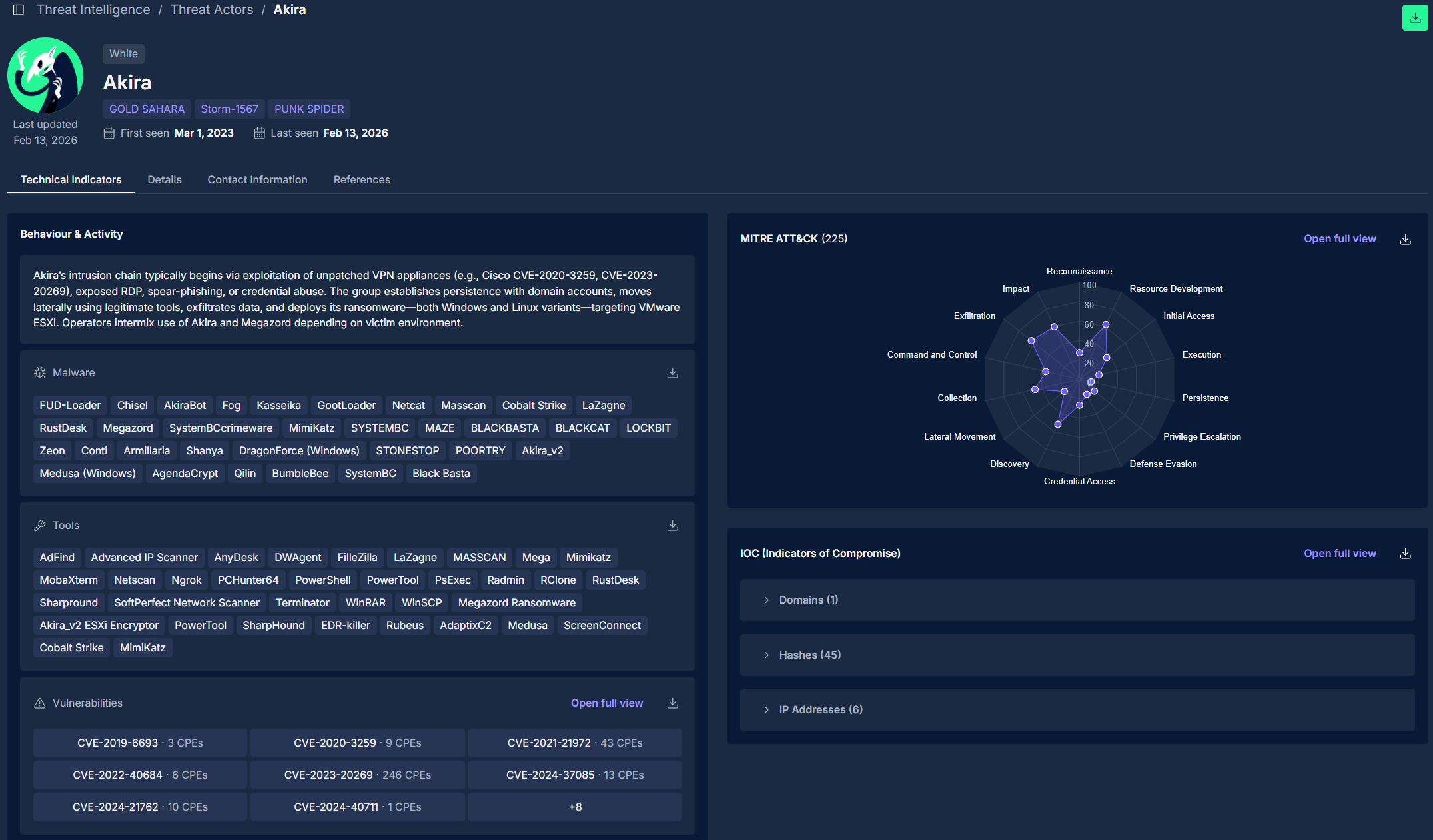
All of the above information is available to build reports on within Zynap, so let's walk through a simple workflow that shows how this intelligence can be used proactively.
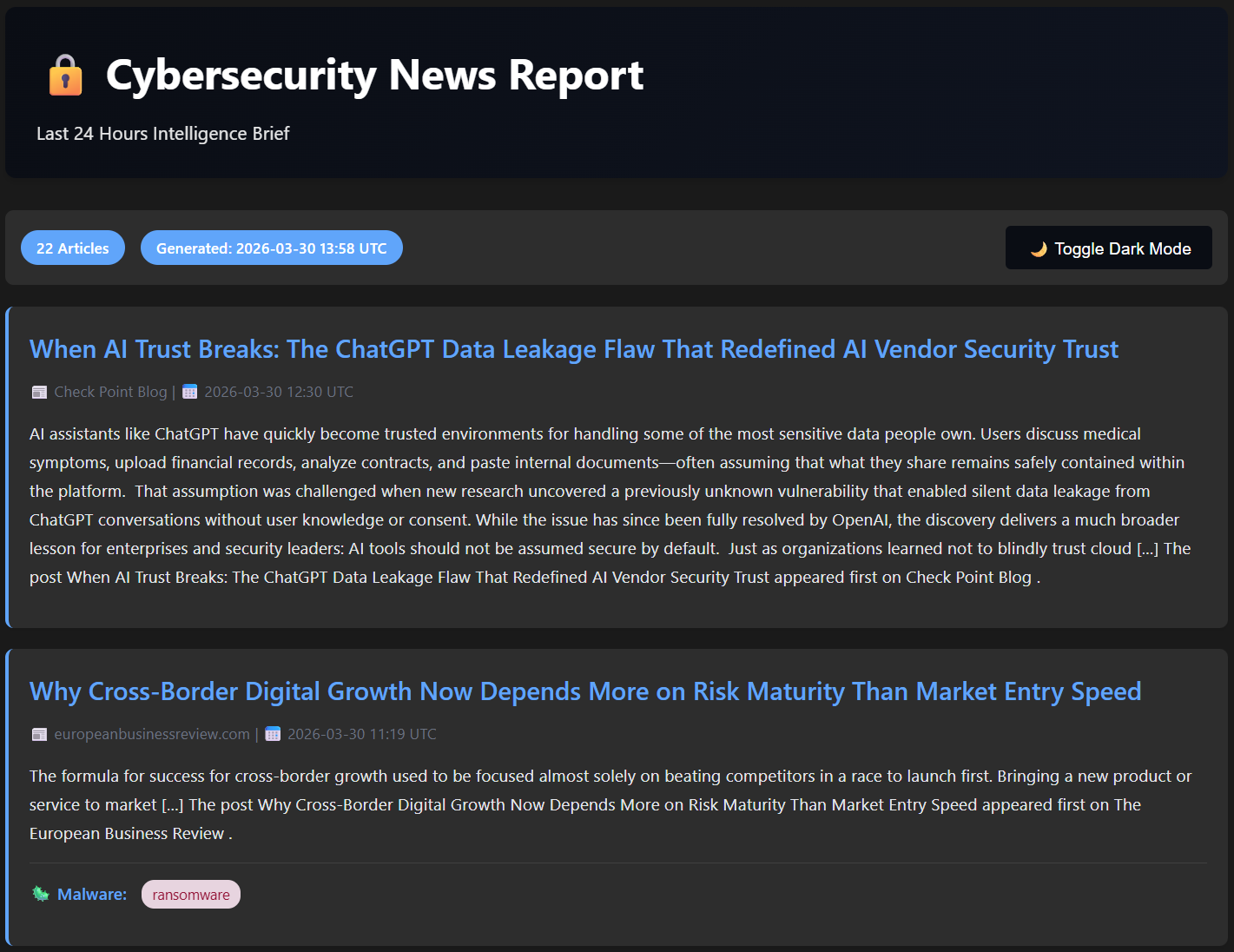
As you can see from the report, it gives breakdowns of the known attacks, each headline links to the sources articles, and we could even add in a table somewhere that mentions specific vectors if mentioned in the article (You'd be surprised how often Cyber Security articles neglect CVE's/IOCs) however you can see the second article mentions ransomware. Depending on the article, it’s source and the attack vector discussed, you might see other examples, as we can see below.
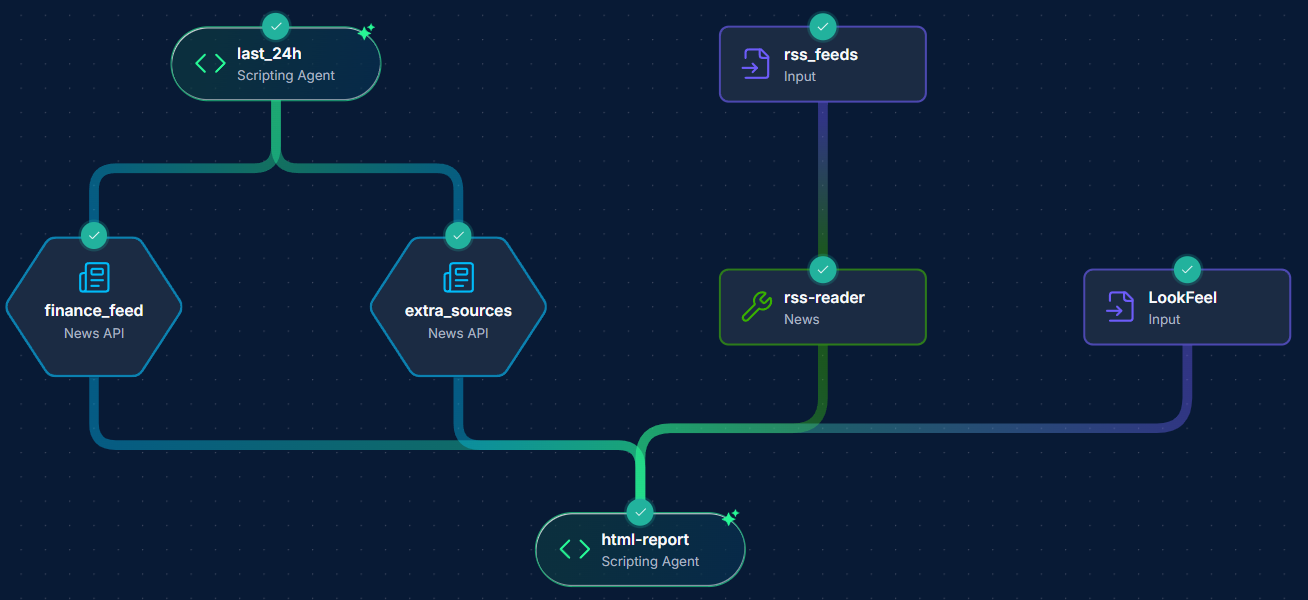
Here we have a very simple workflow, which scrapes the last 24 hours of the built in News API's on the left two nodes, the built in Threat Actors database search in the middle, with some additional security RSS feeds on the top right. This then comes down to the "HTML Report" node, which creates a cross-sectional data set, highlighting areas where Threat Actors and items in the news match; a "look and feel" node to govern how the report will appear as an output (We at Agilesecops use our website design as a guidance for this, just so we know it's our report!).
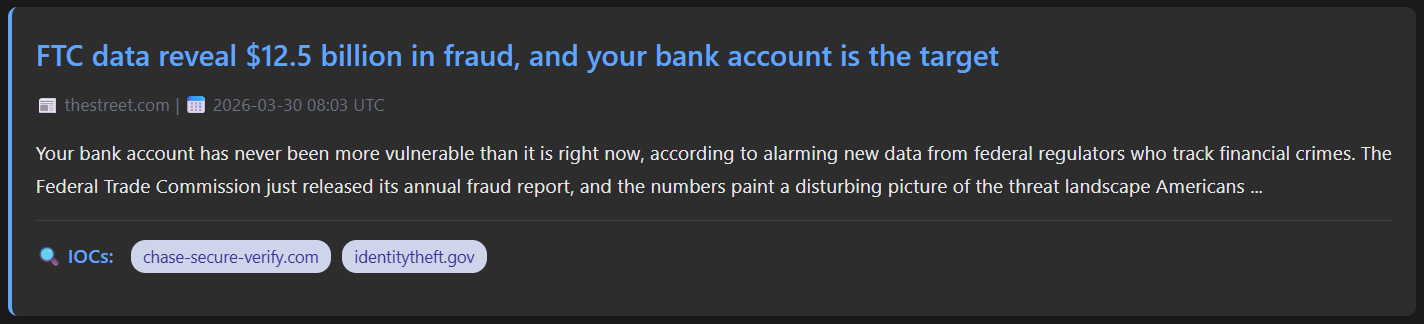
This linked article above has two specific domains mentioned that you can use as IOCs to track or block on your network entirely. Another example of a more detailed article analysis:
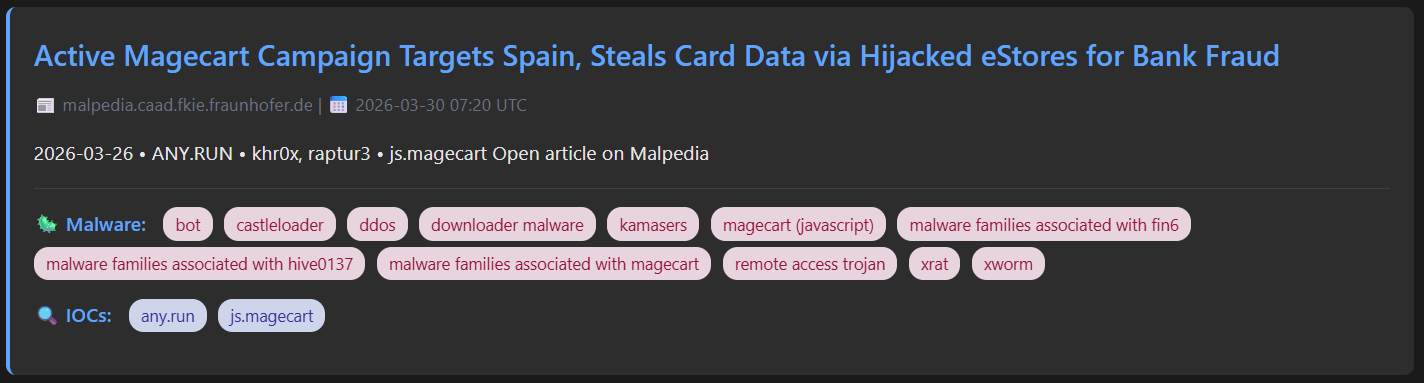
Malware mentioned in the article or associated article is extracted and you can even have these link to more information about the malware if you'd like that as an outcome. I have the report configured to deduplicate articles but also to enrich articles that mention the same attack with supplementary info if mentioned in multiple places.
You'll notice our final node in the workflow currently just creates the report, but you can do many things with this output:
Send it to an email
Upload to SharePoint
Send it via Teams of Slack
You could just as easily take just the IOC information and test this against your firewall to see if you're vulnerable or your SIEM to see if any domains show in recent traffic using the powerful API nodes.
The possibilities expand day by day, and if you'd like to see how Zynap can help your organisation move towards threat-led, proactive security reporting, you can reach out to us via sales@agilesecops.io for a chat or a demonstration.